
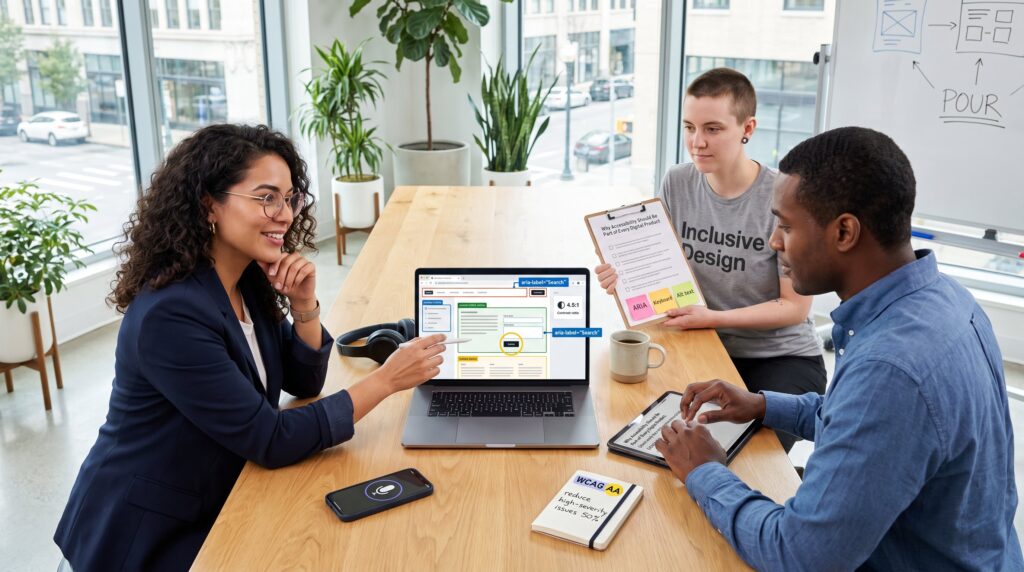
Why Accessibility Should Be Part of Every Digital Product is a practical imperative in 2026. It starts with clear ethics: products must provide equal access. It continues with legal exposure in many jurisdictions and measurable commercial benefits, larger audiences, fewer support calls, and lower litigation risk. This guide gives concrete actions teams can use today: checklists for design and development, workflow changes to embed accessibility, and metrics to measure real progress.
Key Takeaways
- Accessibility is an ethical, legal, and business imperative that improves digital products by ensuring equal access for all users.
- Embedding accessibility into every phase of the product lifecycle prevents costly rework and reduces legal risks.
- Implementing core principles like POUR, semantic HTML, alt text, and keyboard navigation enhances product usability and reduces support calls.
- Automated tools combined with manual testing catch most accessibility issues, improving product reliability and user experience.
- Regularly measuring WCAG compliance and user feedback fosters continuous accessibility improvements and business growth.
- Cross-team collaboration and integrating accessibility criteria in requirements and reviews ensure accountable and consistent inclusive design and development.
Why Accessibility Matters: Ethics, Law, And Business Impact
Accessibility matters because it combines ethical duty, legal obligation, and business sense.
Ethics: People with disabilities expect equal access. Denying access is a discrimination problem. Teams who commit to inclusion reduce real harm and expand opportunity for users who rely on assistive technologies.
Law: Many countries now require accessible digital services. Noncompliance leads to complaints, fines, and costly remediation. Teams should treat accessibility like privacy and security: a nonoptional compliance area.
Business impact: Accessible products increase reachable customers and reduce friction. For example, improving semantic structure, alt text, and clear labels often lowers support tickets by a measurable amount. A mid‑sized retailer reported cutting checkout support calls by 18% after fixing form labels and contrast, fewer abandoned carts, more revenue.
Practical warning: treating accessibility as a one‑time audit creates brittle fixes. Instead, embed accessibility into the product lifecycle to avoid repeated rework and legal exposure.
Practical Checklist For Design And Development
Follow a concise checklist to make accessibility actionable across teams.
Core checklist items (quick facts first):
- Apply POUR: perceivable, operable, understandable, robust.
- Use semantic HTML structure: headings, landmarks, lists.
- Provide alt text for meaningful images and captions for media.
- Ensure color contrast at least 4.5:1 for body text.
- Support keyboard navigation and avoid keyboard traps.
- Add accessibility acceptance criteria to tickets and reviews.
Teams that add these items to the definition of done see systemic improvement. For design teams, keep layouts linear and predictable. For engineers, validate ARIA usage and keyboard focus.
Many teams benefit from pairing automated scans with manual checks. A typical workflow uses automated tooling to catch low‑hanging issues, then manual review to catch semantic and interaction gaps. This article ties accessibility to broader tech impact, which helps teams align priorities with company strategy: see a short overview in the site’s broader technology guide for context on shifting priorities.
Design Best Practices: Layout, Content, And Interaction Patterns
Fact first: clear, predictable layouts reduce cognitive load and improve access for everyone.
Layout: Keep reading order aligned with visual order. Use consistent navigation and linear content flow. Mobile layouts should preserve logical order when columns collapse.
Content: Use plain language and descriptive headings. Replace vague buttons like “Click here” with precise labels such as “Download invoice”. Provide alt text that explains purpose, not just appearance, “graph showing quarterly sales growth” beats “chart”.
Interaction: Ensure touch targets are large enough, aim for about 48px. Don’t rely on color alone to convey meaning: add text or icons. Avoid interactions that depend solely on hover. Provide visible focus styles and clear affordances.
Human moment: a designer once removed an icon‑only label from a signup flow after testing with five users: signups rose 6% because users understood the action faster. Small design shifts produce measurable outcomes.
Development And Testing Best Practices: ARIA, Keyboard Support, And Automation
Key insight first: correct code enables assistive tech and prevents interaction failures.
ARIA and semantics: Use native HTML where possible: apply ARIA only when semantics are missing. Validate attributes like aria-expanded and aria-live according to W3C guidelines. Incorrect ARIA creates more harm than good.
Keyboard support: Guarantee full keyboard operability. Ensure logical focus order, avoid keyboard traps, and provide visible focus indicators. Test with Tab, Shift+Tab, Enter, Space, and arrow keys for interactive widgets.
Automation + manual testing: Run automated scanners (for example, axe-core) in CI to catch regressions. Complement scans with manual testing using screen readers, keyboard‑only navigation, and mobile voice control. Record issue severity and reproduce steps in bug reports: include a short screen reader transcript when relevant. This is covered in more depth in the site guide.
Developer caution: relying solely on automation misses context. Automated tools catch about half of common issues: manual checks catch the rest. Teams who pair both reduce production incidents and improve confidence.
Integrating Accessibility Into Your Product Workflow
Answer first: accessibility must live in requirements, tickets, and reviews to stick.
Requirements: Define accessibility criteria in product specs and acceptance tests. Treat AA as a minimum target for public features: raise to AAA only where justified.
Development process: Add accessibility tasks to every sprint. Include accessibility acceptance criteria in user stories and code reviews. Use small, specific tickets for fixes (for example, “Add aria-label to search input”).
User testing: Test with diverse people and assistive technologies early and often. Recruit participants who use screen readers, switch devices, or rely on voice control.
Cross‑team responsibility: Designers, writers, engineers, and QA share accountability. Product managers should measure accessibility progress the same way they track performance metrics.
Practical resource: teams creating inclusive web services often rely on templates and design tokens to maintain accessible defaults across products: see a practical how‑to that covers building accessible services for more implementation tips.
Measuring Success: Metrics, Audits, And Continuous Improvement
Start with a clear metric: WCAG conformance level and issue counts.
Quantitative metrics: Track number of WCAG failures by severity, automated scan pass rate in CI, keyboard‑only task completion time, and accessibility‑related support tickets. For instance, teams might aim to reduce high‑severity issues by 50% in one quarter.
Qualitative measures: Conduct periodic manual audits and user interviews with people who have disabilities. Monitor user satisfaction and task success rates for those cohorts.
Audit cadence: Schedule automated scans on every push and full manual audits quarterly or before major releases. Keep a public accessibility statement and changelog for transparency.
Continuous improvement: Use retrospectives to address recurring accessibility debt. Prioritize fixes that unblock users or reduce legal risk. Cross‑reference product analytics and accessibility issues to find high‑impact fixes, for example, improving form labels on a checkout page may reduce abandonment for a specific cohort.
Contextual link: For teams mapping technology’s social effects and product priorities, consult a short synthesis on technology’s impact to align accessibility with wider business goals.
Conclusion
Accessibility delivers ethical, legal, and commercial value when teams treat it as ongoing work. Embed accessibility into design systems, development pipelines, and product metrics. Small investments, semantic markup, keyboard support, and routine audits, deliver measurable returns in reduced support costs and broader market reach. The teams that make accessibility a default will ship safer, stronger products in 2026 and beyond.