
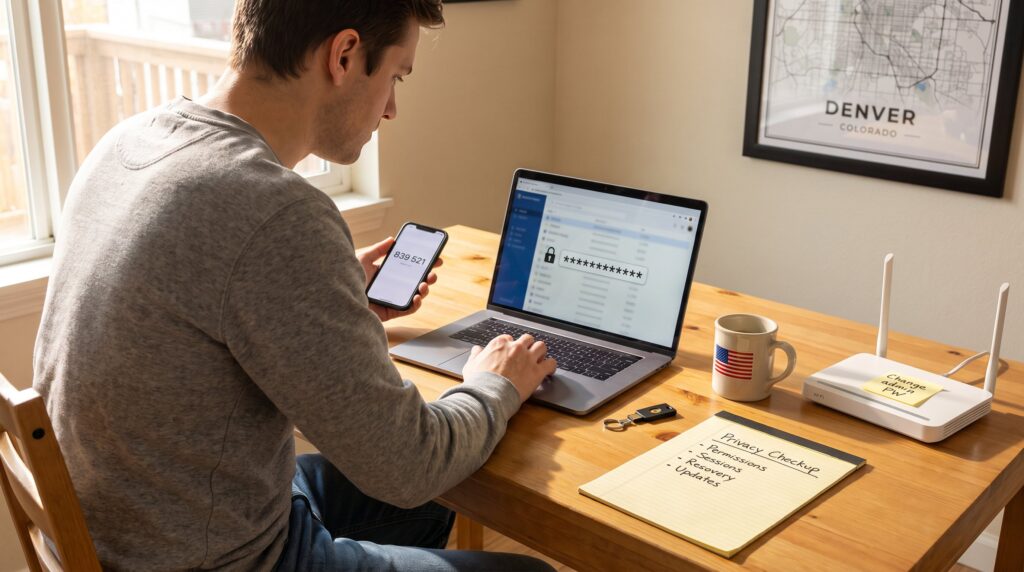
Protect Your Privacy Online matters now more than ever. Readers learn practical steps to reduce tracking, stop casual data leaks, and limit account takeovers. This guide gives clear actions someone can take in minutes, plus the key habits that prevent bigger problems later. It assumes no technical background and focuses on high-impact moves for daily life.
Key Takeaways
- Protect your privacy online by regularly reviewing app permissions and limiting access to location, camera, and microphone to prevent unnecessary data leaks.
- Use strong, unique passwords and a reputable password manager to guard against account takeovers and credential stuffing attacks.
- Enable multi-factor authentication, preferably with authenticator apps or hardware keys, to secure high-value accounts from unauthorized access.
- Keep your devices and home network secure by promptly applying updates, securing your router settings, and using VPNs on public Wi‑Fi.
- Regularly check account recovery options and sessions to remove outdated or suspicious access points and reduce the risk of SIM-swap or phishing attacks.
- Adopting these practical steps in daily life can significantly reduce online privacy risks while giving you greater control over your digital footprint.
Why Online Privacy Still Matters (Risks, Data Value, And Real-World Consequences)
Data collection is not abstract: companies, advertisers, and criminals collect locations, purchases, contacts, and device IDs to profile people and act on those profiles. That profiling can change who sees job ads, what insurance rates a person is offered, or how political messages are targeted. Breaches and account takeovers cause concrete harm: financial loss, identity theft, stalking, and harassment. For example, a single breached email account can let an attacker reset bank passwords and drain funds.
Privacy also has measurable commercial value. Ad networks and data brokers buy and combine records to build profiles worth dollars per person to marketers. This means ordinary actions, shopping, searching, and using apps, feed systems that monetize personal behavior. The immediate risk is fraud: phishing, SIM‑swap attacks, and credential stuffing remain common ways attackers convert personal data into money. The longer-term risk is discrimination: lenders or insurers can infer health or financial status from combined datasets and treat people differently.
A realistic view helps: the goal is not perfect secrecy but risk reduction. Small changes, closing unneeded data leaks, securing high-value accounts, and limiting access permissions, cut exposure dramatically. Later sections show a fast checkup and concrete controls someone can apply today.
A Simple Privacy Checkup You Can Do Right Now
Start with these four checks and each one takes under five minutes.
-
Visibility and app permissions: Open major apps and set posts, profiles, and photos to limited audiences. Revoke location, camera, and microphone access where apps don’t need them. This stops continuous location logging and reduces accidental recordings.
-
Connected devices and sessions: In account settings, review signed-in devices and active sessions. Sign out of unknown devices and remove old sessions on email, social media, and streaming services.
-
Recovery options and backups: Verify recovery email and phone numbers. If the recovery phone uses the same carrier SIM without extra protections, set a PIN with the carrier to reduce SIM‑swap risk.
-
Updates and housekeeping: Turn on automatic OS and app updates, uninstall unused apps, and remove browser extensions that aren’t essential.
People who complete these checks typically close the most common attack paths. For a deeper look at how technology shapes daily risks and what to prioritize next, readers can follow a short primer on technology’s broader impact that connects privacy habits to larger trends.
Passwords, Multi-Factor Authentication, And Account Hygiene
Strong credentials and good account hygiene stop the majority of account takeovers. The fact: reused or short passwords are the single biggest weakness attackers exploit. The next two subsections explain how to fix that.
Creating Strong Passwords And Using A Password Manager
A strong password is long, unique, and random or at least an uncommon passphrase. Aim for 12–16 characters minimum. Avoid predictable substitutions and personal details. The faster improvement is to use a reputable password manager that generates and stores unique passwords for every site. A manager protected by a strong master passphrase reduces the chance of reuse and makes secure logins practical across devices. When someone uses a manager, they typically replace dozens of reused passwords, cutting credential-stuffing risk by a large margin.
Setting Up Multi-Factor Authentication And Account Recovery Safely
Enable multi-factor authentication (MFA) on high-value accounts: email, banking, password manager, and social profiles. Prefer authenticator apps or hardware security keys over SMS codes, app-based or hardware MFA resists SIM‑swap attacks. Store backup codes in a locked physical location, not in email. Review account recovery methods: remove obsolete recovery emails and phones, and avoid using a single, easily compromisable account as the universal recovery contact. Regularly check account security logs for unusual sign-in attempts and revoke suspicious sessions.
Protecting Your Devices And Home Network
Devices and the home network are the perimeter for personal data. Keep them patched and configured to reduce attack surface.
First, apply updates promptly. Operating system and firmware updates close known vulnerabilities on phones, laptops, routers, and IoT devices. Someone who delays updates by months dramatically increases risk.
Second, secure the router: change the default admin password, enable WPA2‑AES or WPA3 encryption, disable WPS and remote administration, and create a separate guest network for visitors and IoT devices. A strong Wi‑Fi password should be unique and not shared publicly. Disable UPnP on the router if not needed, UPnP can open ports without clear user consent.
Third, harden devices: remove unused apps, use a local firewall or reputable security suite on computers, and enable full-disk encryption on laptops and phones. Consider a VPN when using public Wi‑Fi to encrypt traffic and hide local network activity. If someone runs smart devices, they should change factory passwords immediately and keep those devices on a segregated network.
These steps reduce the likelihood of lateral movement by an attacker who gains a foothold on a single device.
Conclusion
Protecting privacy online is a series of small, concrete choices that compound. Start with the quick checkup, secure high-value accounts with unique passwords and MFA, and lock down home devices and the router. These moves prevent the most common harms, identity theft, financial loss, and invasive profiling, and create breathing room to adopt more advanced protections later. Readers who take these steps will notice fewer suspicious logins and a clearer sense of control over digital life.